Payment
How to pay in China. Alipay, WeChat Pay, cash — what works for tourists.
Last updated: April 2026
Set Up Payment BEFORE You Land!
You may not be able to receive SMS verification codes in China. Download Alipay and WeChat, link your card, and verify your identity — all before you fly.
Over 90% of transactions in China now happen via mobile payment. Street vendors, taxis, convenience stores — everyone uses  Alipay or
  WeChat Pay . The good news: both apps now accept international credit cards (Visa, Mastercard, Amex, JCB, Discover).
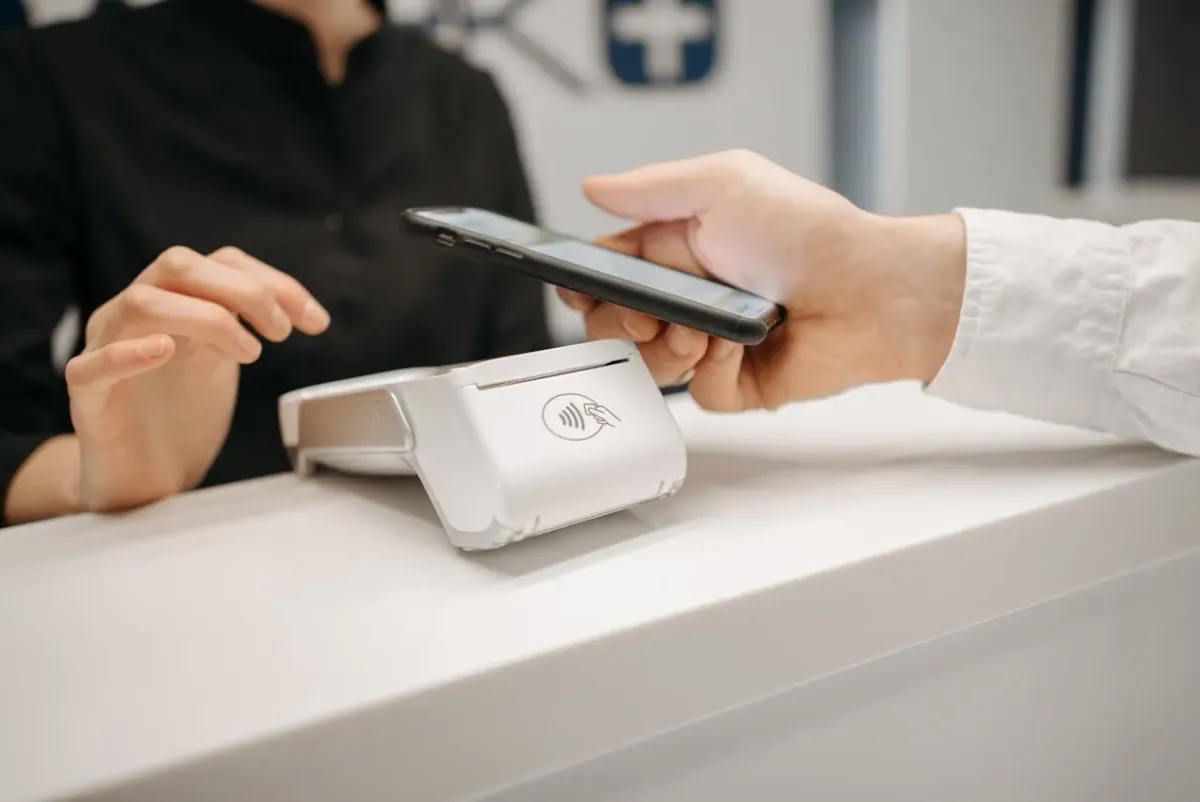
Apple Pay and Google Pay do NOT work in China. Even if your phone supports NFC, most Chinese terminals do not accept them. You must use Alipay or WeChat Pay.
Alipay vs. WeChat Pay — Which to Set Up First?
Set up both if you can — some vendors only accept one. But if you only have time for one, here is how they compare:
| Alipay | WeChat Pay | |
|---|---|---|
| Registration | Easier — no friend needed | May need a friend to verify (varies by region) |
| Foreign Card | Visa, Mastercard, Amex, JCB, Discover, Diners | Visa, Mastercard, Amex, JCB, Discover, Diners |
| 3% Fee | Single transactions under ¥200 are free | Single transactions under ¥200 are free |
| In-App Services | Didi, metro, food delivery, etc | Didi, metro, food delivery, etc |
| Best For | Shopping, food, transport | Social payments, small vendors |
| Recommendation | ⭐ Set up first (easier) | Set up second (more social) |
Setting Up Alipay
What You Need
- •A smartphone with the Alipay app — International Version (iOS / Android).
- •A valid passport
- •An international credit card (Visa/Mastercard recommended)
- •A phone number that can receive SMS
Step-by-Step
- 1
Download Alipay
Search for "Alipay" in your app store. Make sure it is the international version. - 2
Switch to English/International
Tap the gear icon (Settings) → Switch Version → International - 3
Sign up
Use your phone number (international numbers work) and verify via SMS - 4
Verify your identity
Tap Me → gear icon (Settings) → Account & Security → Identity Information → Identity Verification → choose Passport → upload a clear photo of your passport page → complete the face scan - 5
Add your card
Go to Me → Bank Cards → Add Card → enter your card number, expiry, CVV, and name. - 6
Set your 6-digit payment password
- 7
Done!
You can now scan QR codes to pay
Do all of this BEFORE you arrive in China. You may need SMS verification, which can be tricky without roaming.
Setting Up WeChat Pay
What You Need
- •A smartphone with the WeChat app (iOS / Android).
- •A valid passport
- •An international credit card (Visa/Mastercard recommended)
- •A phone number that can receive SMS
Step-by-Step
- 1
Download WeChat
Search for "WeChat" in your app store. - 2
Sign up
Use your phone number (international numbers work) — enter the SMS code to verify. If asked for friend verification, see the section below for alternatives. - 3
Enable Wallet
Skip this step if Services and Wallet are already visible under Me. Otherwise, go to Me → Settings → General → Tools → Weixin Pay → tap Enable. - 4
Add your card & verify identity
Go to Me → Services (or Pay and Services) → Wallet → Cards → Add a Card. WeChat will automatically prompt you to verify your identity — choose Passport, upload a clear photo of your passport page, and complete the face scan. Then enter your card details. - 5
Set your 6-digit payment password
- 6
Done!
You can now scan QR codes to pay
Beyond payments, WeChat is how most Chinese businesses communicate. Hotel staff, tour guides, and local contacts will almost always prefer to reach you via WeChat rather than email or phone. Having it set up makes these interactions much smoother.
WeChat Registration — Friend Verification & Regional Differences
WeChat’s registration logic varies significantly by region. Many users from North America and Europe report direct mobile registration with no help needed. It depends on WeChat’s real-time risk assessment of your IP and phone carrier.
If you are asked to have an existing WeChat user scan your QR code to verify your account, here are your options:
Option 1: Verify via Card (Recommended)
On the verification screen, you may see “Verify via Payment Card” or “Verify and Activate WeChat Pay” — these are two buttons for the same flow. Tap either one.
You will be guided to enter your card details, upload your passport, and complete a face scan. Verification is instant — once passed, your account is unlocked and WeChat Pay is automatically activated. No friend needed.
Option 2: Ask a Friend to Scan
If the card verification option doesn’t appear, ask a friend who already uses WeChat to scan the QR code on your screen. They must be over 18 and not have recently verified other new accounts. The scan must happen within 10 minutes.
Do NOT use third-party QR scan services. Some websites and forums offer paid “WeChat verification helpers” who will scan your QR code for $5-20. These are insecure — the person scanning gains access to your account information and could compromise your account. Only ask someone you personally trust.
How to Pay — Scanning QR Codes
In China, you pay by scanning a QR code — not by tapping NFC or inserting a card. There are two types:
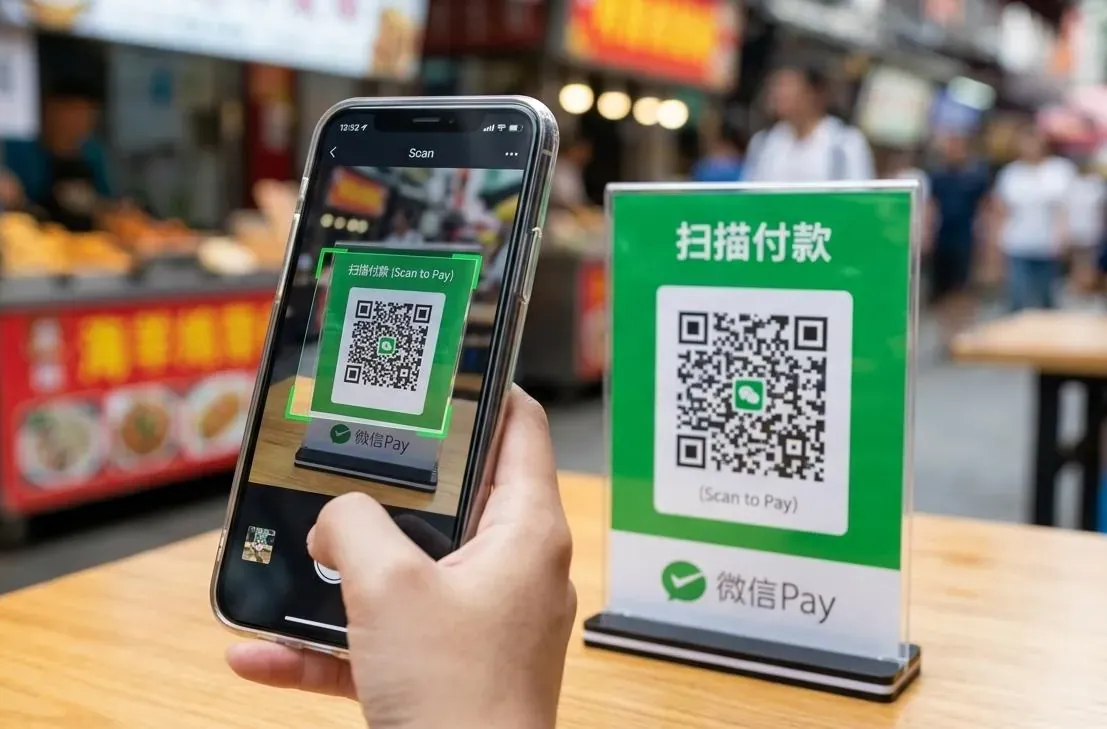
Scan Merchant’s QR Code
(You Scan Vendor)
How to Open
Alipay: Scan (Top Left)
WeChat: + → Scan
Common At
- •Taxis & Street Food Stalls
- •Small Mom-and-Pop Shops
- •Wet Markets
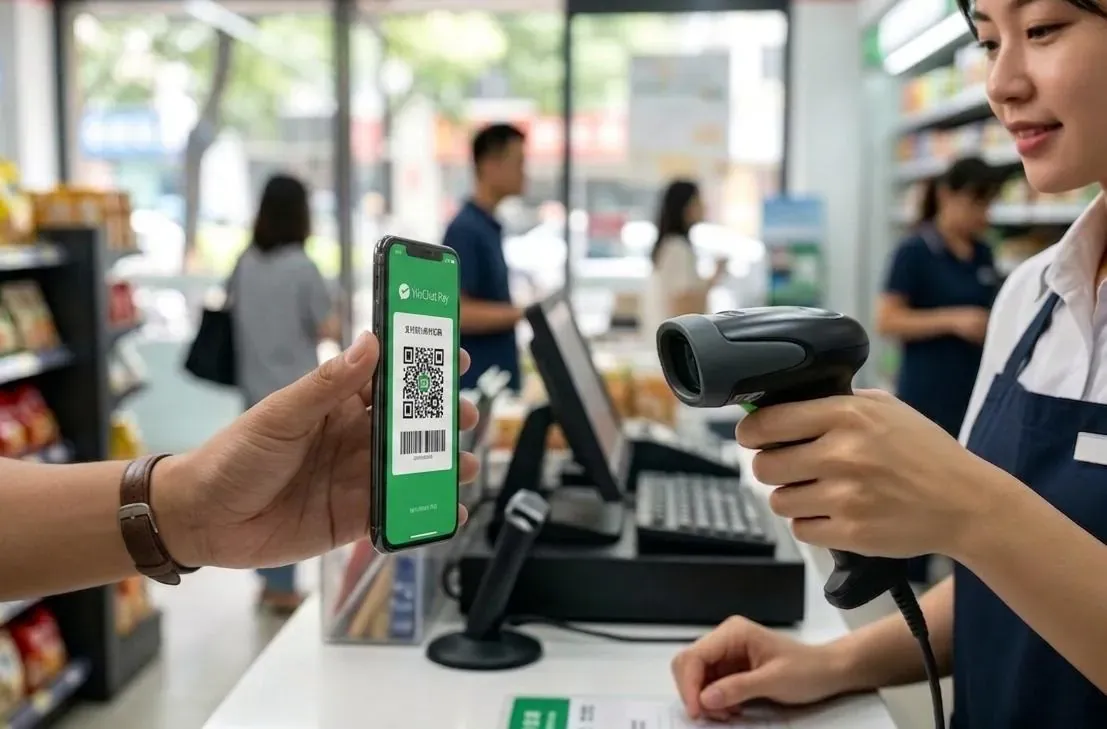
Show Your Payment Code
(Merchant Scans You)
How to Open
Alipay: Pay (Home Screen)
WeChat: Me → Services → Wallet → Pay
Common At
- •Supermarkets & Malls
- •Convenience Stores (7-11, etc.)
- •Branded Chain Shops
Quick rule: If you see a scanner (gun or box), SHOW your code. If you see a printed sticker, SCAN their code.
VPN Reminder: If you’re using a VPN (see Internet Access), turn it OFF before paying. Alipay and WeChat Pay are optimized for local networks — running them through a VPN can cause payments to fail or trigger security blocks.
The 3% Foreign Card Fee
When paying with an international card via Alipay or WeChat Pay, transactions over ¥200 may incur a 3% service fee. Two ways to avoid it:
1. Split Payments
Keep each transaction under ¥200 to stay fee-free. You can politely ask the vendor if they’d be willing to let you pay in a few separate scans—most are happy to help once they understand it’s to avoid the 3% international card fee.
能请您帮个忙吗?我想分开付,每笔两百元以下可以吗?
Néng qǐng nín bāng ge máng ma? wǒ xiǎng fēnkāi fù, měi bǐ liǎngbǎi yuán yǐxià kěyǐ ma?
Could you do me a favor? I’d like to split the payment — is it okay to do under 200 RMB each?
2. New User Promotions
Both Alipay and WeChat Pay occasionally offer promotional fee waivers for new international users (e.g., 60-day fee-free periods). These promotions change over time — check the app or official announcements for the latest offers before your trip.
Beyond Payments — Didi, Metro & QR Ordering
Both Alipay and WeChat have Integrated Services(mini-programs). Think of them as apps-within-an-app: no separate download needed. Here are the most useful ones for travelers:
Didi (Ride-Hailing)
China’s Uber. Book rides, set destination in English, pay in-app. → Full guide
Metro (Subway QR Code)
Skip the ticket machine — scan your phone at the turnstile. → Full guide
QR Code Ordering (In-Restaurant)
Scan the QR code on the table to browse the menu, order, and pay — no waiter needed. Works in 99% of restaurants. → Full guide
Identity Verification Required: Most mini-programs (especially Didi and metro) require identity verification (passport + face scan). If you skipped it during setup, go back and complete it — these services won’t work without it.
Cash — Your Backup Plan
| Topic | Details |
|---|---|
| Currency | Chinese Yuan (CNY / RMB / ¥) |
| Exchange | Bank of China or ICBC — best rates. Airport is OK. Hotels are worst. |
| ATMs | Bank of China and ICBC ATMs accept foreign cards best |
| Denominations | 100, 50, 20, 10, 5, 1 (bills are most common) |
| Counterfeit check | Check watermark and color-shifting ink on ¥100 bills |
| Is cash accepted? | Legally yes, but vendors may not have change |
| How much to carry? | ¥500-1000 for emergency. Keep small bills for easy payments |